12 months of updates and support Support: Mon–Fri 10:00–18:00 Average response — under 2 hours
Telegram WhatsApp
Request a module
Items in your cart

Shopping cart

0

Your cart is empty

Add the modules you need and they will appear here.

OpenCart / ocStore Ready to install

Epicentr Export Pro 2.0 for OpenCart

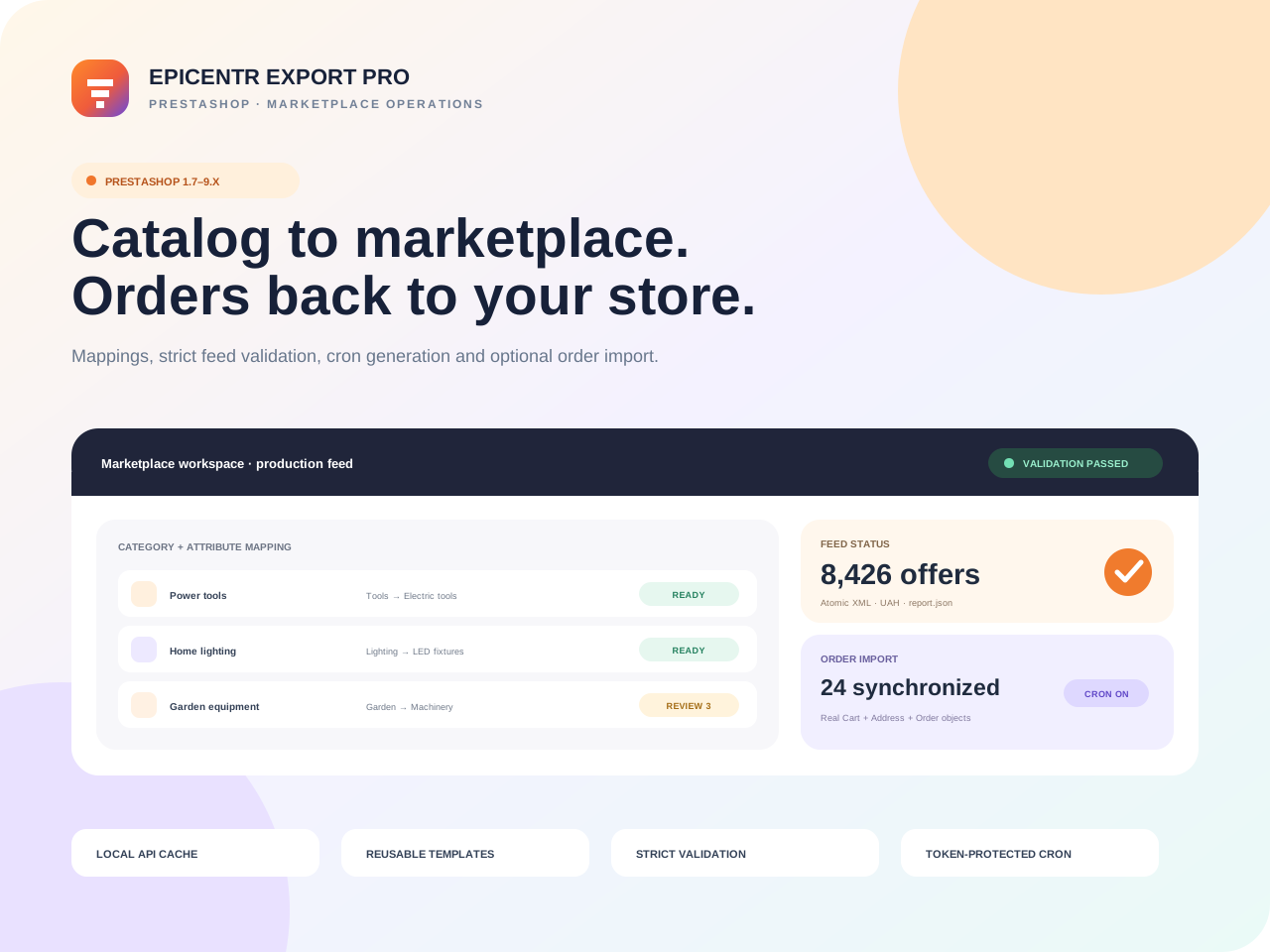
Epicentr Export Pro 2.0 turns an OpenCart-to-Epicentr.ua integration into a controlled workflow: local marketplace dictionaries, reusable mapping templates, strict product validation, streamed XML and optional order impo…

OpenCart / ocStore 3.x
Limited-time offer Free module installation by our team

Select installation in the product options. After checkout, we will arrange access, install the module and run a basic check on your store.

The module licence is charged separately. Paid third-party services and non-standard development are not included.
0.00 грн. installation
6,990.00 грн. Ex Tax: 6,990.00 грн.
Updated14/09/2026

Files available after payment

No core file overwritesExtension Installer / OCMOD
12 months of updatesUpdated 14/09/2026
Developer supportReady to install
Clean codeDocumented structure

Epicentr Export Pro 2.0 turns an OpenCart-to-Epicentr.ua integration into a controlled workflow: local marketplace dictionaries, reusable mapping templates, strict product validation, streamed XML and optional order import.

More than generating XML — control feed quality continuouslyRequired characteristics, brands, dictionary values and categories are validated before publishing. A problematic product is skipped with a clear reason while valid offers continue.

From the Epicentr API to a production feed in one workspace

The module caches categories, attribute sets, characteristics, values and brands locally. Mappings can be saved as templates and reused across compatible OpenCart categories.

2.0production releaseA fully rebuilt integration
AJAXresume-safe syncChunked dictionary synchronization
XMLatomic publishTemporary file and safe replacement
3admin languagesUkrainian, English and Russian

Local Epicentr dictionaries

Categories, characteristic sets, values and brands sync in chunks with retries and locks.

Reusable mapping templates

OpenCart attributes, OCFilter 3/4, manufacturer, product fields, constants and skip rules.

Strict validation

Required values, select/multiselect mappings and dictionaries are checked before feed output.

Streamed XML

The catalog is not assembled in memory and the completed feed is published atomically.

Optional order import

Disabled by default with deduplication, transactions and separate opt-in for automatic acceptance.

Epicentr OMS links

Open the matching marketplace order directly from OpenCart order list and details.

A workflow without blind publishing

ConnectAPI token and connection check.
SynchronizeCategories, values and brands.
MapCategories, fields and required values.
ValidatePreflight and JSON report.
AutomateFeed cron and optional orders.
COMPATIBILITY

OpenCart / ocStore 3.0.x · PHP 7.4–8.1 · version 2.0.0

Standard OpenCart attributes and automatic OCFilter 3.x/4.x detection are supported. cURL, JSON, XMLWriter and SimpleXML are required.

An Epicentr seller account with API access is required

Live API operations depend on merchant credentials. Order import, customer creation and automatic acceptance are disabled after installation and should be enabled only after staging verification.

Included with the purchase

OCMOD 2.0.0, PIM dictionary sync, reusable mapping templates, OCFilter support, strict feed validation, XML and JSON reports, protected cron, optional order import, three admin languages, documentation and 12 months of updates.
BUILT FOR COMMERCE

Module features

Thoughtful functionality for a real store, without unnecessary complexity.

Local Epicentr cache

Categories, attribute sets, values and brands synchronize in resumable steps while the admin works from local dictionaries.

01

Reusable mapping templates

Map features, attribute groups, manufacturers, product fields and constants to marketplace requirements.

02

Strict XML feed

Preflight checks, per-product validation, atomic publishing and a separate JSON report for every generation.

03

Token-protected feed cron

Generate all enabled categories or a selected subset through a protected URL without keeping a browser open.

04

Optional order import

Orders import into OpenCart transactionally with deduplication and configured status, shipping and payment mappings.

05

Hardened integration

Explicit write permissions, API URL SSRF controls, protected logs and per-order transaction isolation.

06
QUICK START

Launch in stages: API → dictionaries → rules → validation → cron

Connect the Epicentr seller account and synchronize dictionaries first. Publish only after Validate only passes and mandatory mappings are complete.

01

Connect Epicentr

Install the OCMOD through Extension Installer, refresh modifications, add the API token and run resumable dictionary synchronization.

02

Build mappings

Link categories, attribute sets, reusable value rules and brands, then enable categories for export.

03

Validate and automate

Run Validate only, resolve errors, generate the first XML and schedule protected feed and optional order cron jobs.

TECH DETAILS

Technical specifications

Epicentr Export Pro 2.0 turns an OpenCart-to-Epicentr.ua integration into a controlled workflow: local marketplace dictionaries, reusable mapping templates, strict product validation, streamed XML and optional order impo…

Ready to installIn Stock
PlatformOpenCart / ocStore
Compatible versions3.x
InstallationExtension Installer / OCMOD
PHP versionPHP 7.4+
Licence1 domain
LocalisationУкраїнська, English, Русский
{ }

Need help or a custom change?

We can check compatibility, help with installation or adapt the module to your workflow.

Discuss the task
FAQ

Frequently asked questions

Developer support

What is required besides the module?

An active Epicentr.ua seller account with API access, OpenCart / ocStore 3.0.x, HTTPS, PHP 7.4–8.1, cURL, JSON, XMLWriter and SimpleXML.

Does it convert currencies to UAH?

No. The export currency must already be UAH. The module deliberately avoids hidden on-the-fly conversion.

Is order import mandatory?

No, it is disabled by default. Use the XML feed alone and enable orders later after mapping statuses, shipping and payment.

What happens to data on uninstall?

Mappings, dictionary cache and feed history are retained so a safe reinstall does not destroy completed work.