12 months of updates and support Support: Mon–Fri 10:00–18:00 Average response — under 2 hours
Telegram WhatsApp
Request a module
Items in your cart

Shopping cart

0

Your cart is empty

Add the modules you need and they will appear here.

PrestaShop Ready to install

Video Shopping Pro for PrestaShop

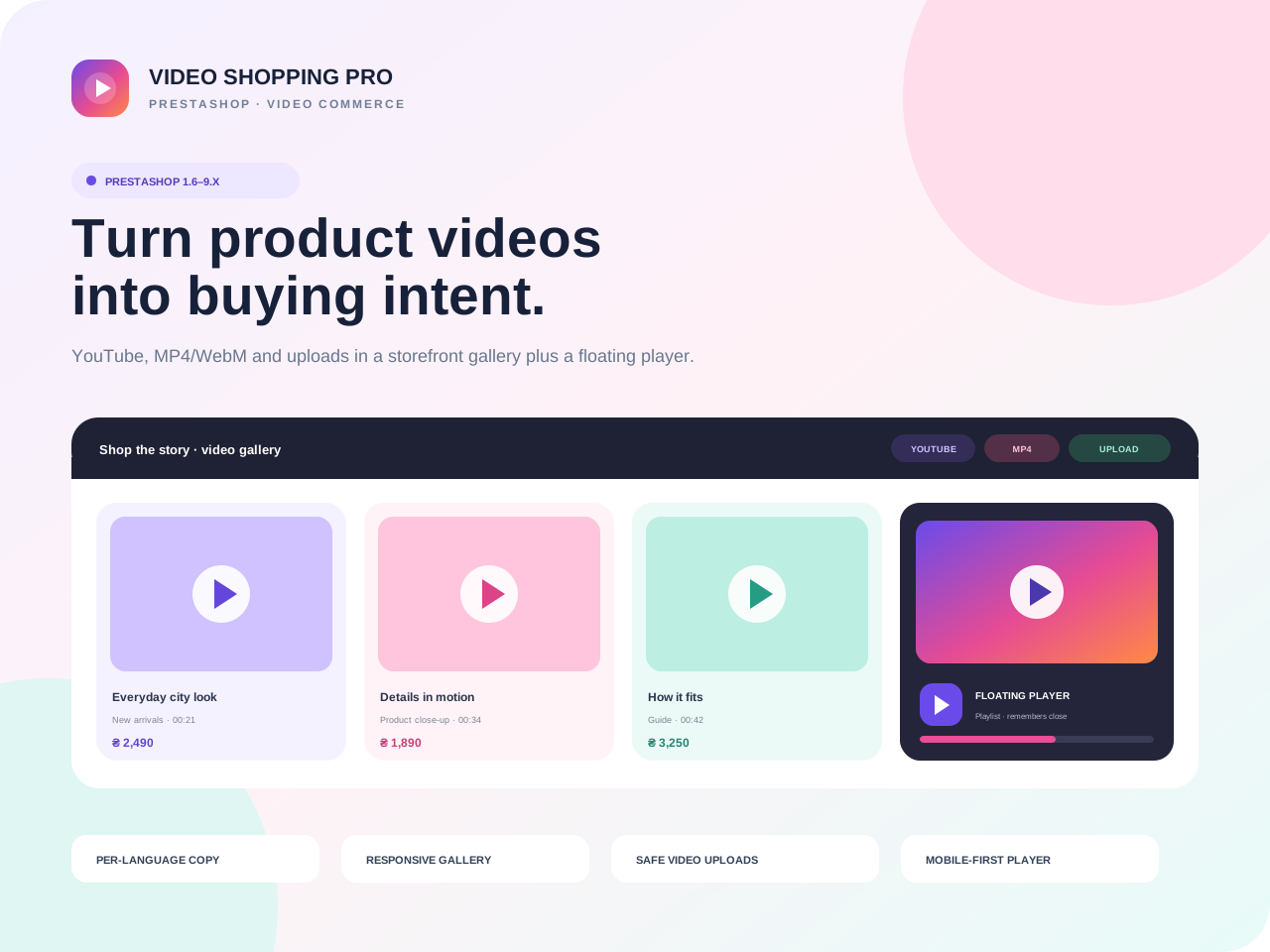
Video Shopping Pro brings video directly into the product journey: multiple clips per product, localized titles and captions, a homepage video gallery and a floating player on product pages.

PrestaShop 1.6.xPrestaShop 1.7.xPrestaShop 8.xPrestaShop 9.x
Limited-time offer Free module installation by our team

Select installation in the product options. After checkout, we will arrange access, install the module and run a basic check on your store.

The module licence is charged separately. Paid third-party services and non-standard development are not included.
0.00 грн. installation
2,990.00 грн. Ex Tax: 2,990.00 грн.
Updated14/09/2026

Files available after payment

No core file overwritesBack Office / ZIP
12 months of updatesUpdated 14/09/2026
Developer supportReady to install
Clean codeDocumented structure

Video Shopping Pro brings video directly into the product journey: multiple clips per product, localized titles and captions, a homepage video gallery and a floating player on product pages.

Show products in motion exactly where shoppers make the decisionA review, fitting, unboxing, instruction or short UGC clip stays beside the product instead of disappearing in a separate content section.
▶
Video Shopping ProSTOREFRONT VIDEO COMMERCE
PLAYER ACTIVE
Everyday city lookYouTube · 00:21
Details in motionUploaded MP4 · 00:34
How it fitsDirect WebM · 00:42
FLOATING PRODUCT PLAYERPlaylist · remembers close per product
MOBILE: BUBBLE

Three video sources, one manageable catalog

Add allow-listed YouTube URLs, direct HTTPS MP4/WebM links or upload a file. Every clip supports poster, primary/active flags, order and per-language content.

∞videos per productNo software row limit
3source typesYouTube, direct URL, upload
3card ratiosPortrait, square, landscape
1–24gallery productsLatest or manual list by ID

Complete video catalog

Multiple clips, ordering, primary/active status, poster and dedicated title/caption for every language.

Privacy-aware YouTube

URLs normalize to a strict video ID and youtube-nocookie embed can be enabled.

Validated MP4/WebM uploads

Extension, MIME and magic bytes are checked server-side and filenames receive a random suffix.

Homepage gallery

Latest/manual selection, responsive columns, ratio, product name, price, thumbnail and horizontal navigation.

Floating product player

A bubble expands into a playlist panel with left/right placement, width and configurable desktop initial state.

Thoughtful interaction

Hover-to-play on desktop, tap-to-play on touch, IntersectionObserver pause and collapsed mobile start.

From clip to conversion block

InstallUpload the ZIP through Module Manager.
Attach videoOpen Modules in the product editor.
LocalizeEnter title, caption and poster.
Configure displayEnable the gallery and floating player.
COMPATIBILITY

PrestaShop 1.6–9.x · responsive storefront

The module declares compatibility from PrestaShop 1.6 through 9.x. The actual PHP runtime must satisfy the installed PrestaShop release and theme.

A custom theme may need minor CSS positioning

The module uses native displayHome and displayProductAdditionalInfo hooks with no core override. If a theme heavily changes hooks, verify placement and styling after installation.

Included with the purchase

Installation-ready ZIP, readable source, video gallery, product playlist, floating player, safe upload validation, UK/RU/EN translations, documentation, 12 months of updates and launch support.


Need another high-visibility homepage block?Universal Top Banner Pro runs localized campaigns with desktop/mobile creatives, scheduling and page rules.
View Top Banner
BUILT FOR COMMERCE

Module features

Thoughtful functionality for a real store, without unnecessary complexity.

Multiple videos per product

Every item has source type, order, active/primary flags, poster and per-language title and caption.

01

YouTube, URL and upload

Use YouTube, direct HTTPS MP4/WebM links or securely upload files from the product editor.

02

Homepage video gallery

A responsive horizontal gallery with latest/manual selection, columns, card ratio, product name and price.

03

Floating product player

The bubble expands into a player, exposes a playlist and remembers a close per product for the browser session.

04

Mobile-aware behavior

The player starts collapsed on phones, cards use tap-to-play and off-screen video pauses automatically.

05

Validated uploads

Extension, MIME and magic bytes are checked server-side; filenames are regenerated and paths reject traversal.

06
QUICK START

Add the first video journey without editing the theme

Install the module, attach videos in the product editor and configure the homepage gallery and floating player independently.

01

Install the ZIP

Upload through Module Manager. The module creates its tables, settings and protected admin upload endpoint.

02

Attach videos

Under the product Modules tab add YouTube, HTTPS MP4/WebM or upload a file, then enter localized titles and captions.

03

Configure display

Choose latest/manual products, columns and ratio for home, then set floating-player position, width and initial state.

TECH DETAILS

Technical specifications

Video Shopping Pro brings video directly into the product journey: multiple clips per product, localized titles and captions, a homepage video gallery and a floating player on product pages.

Ready to installIn Stock
PlatformPrestaShop
Compatible versions1.6.x, 1.7.x, 8.x, 9.x
InstallationBack Office / ZIP
PHP versionPHP — per PrestaShop requirements
Licence1 domain
LocalisationУкраїнська, English, Русский
{ }

Need help or a custom change?

We can check compatibility, help with installation or adapt the module to your workflow.

Discuss the task
FAQ

Frequently asked questions

Developer support

Are theme edits required?

The module uses native displayHome and displayProductAdditionalInfo hooks. A heavily customized theme may only need position or CSS adjustment.

Which video sources are supported?

Allow-listed YouTube URLs, direct HTTPS .mp4/.webm URLs and uploaded MP4/WebM files after server-side validation.

Does video autoplay on phones?

The floating player always starts as a bubble on mobile. Gallery cards use tap-to-play and do not rely on browser-blocked autoplay with sound.

Is data retained on reinstall?

Tables are retained by default. Uploaded videos and posters are never deleted automatically; obsolete files are removed manually.